Skip to main content Announcing Tool Policies: AI agent permissions down to the field Read the announcement
Connectors PandaDoc
Live 68 Actions 13 Events

PandaDoc Integration for AI Agents

Connect your AI agent to 68 PandaDoc actions via MCP, A2A, or SDK, with agent authentication, tool-calling execution, and security built-in, plus 13 events to subscribe to.

StackOne
DrataGPLocalyzeFlipMindtoolsScreenloop

PandaDoc AI Agent Actions

68 production-ready actions for your agent to do more on PandaDoc.

68 Actions
List Catalog Items Search - This method searches for items in your product catalog.
Create Catalog Item - Create a new catalog item.
Catalog Item Details - Get a product catalog item by its UUID, including its pricing, SKU, category and custom fields.
Update Catalog Item - Update the fields of an existing product catalog item, such as its title, pricing, SKU or category.
Delete Catalog Item - Permanently delete a product catalog item by its UUID.
List Contacts - This method returns a list of contacts associated with a workspace.
Create Contact - This method adds a contact into a contacts list.
Contact Details - Returns contact details by its ID.
Delete Contact - This method deletes a contact.
Update Contact - This method updates a contact details.
List Content Library Items - Retrieves a list of content library items.
List Documents - This endpoint will let you list and search for the documents.
Create Document - Create from a template See the Create document from template tutorial for details on how to use this endpoint, as well as a sample template.
Delete Documents (bulk) - Delete multiple documents in one request by sending a JSON array.
Document Status - It is useful to request document status to ensure a document is in the expected state before calling additional API methods.
Delete Document - Delete a PandaDoc document by its ID. Deletion is permanent by default; set forever to false to move it to the Trash Bin instead.
Update Document - Use the PATCH method to update a PandaDoc document.
Document ESign Disclosure - Retrieves the current version of eSign disclosure text for a specified document.
Document Status Change - PandaDoc has eight document statuses, but you can manually set your document status to only four - Document statuses - Completed - document.completed - API code 2 - Expired - document.voided - code 11 - Paid - document.paid - code 10.
Move Document To Draft - Revert your document back to draft to continue editing it.
Document Details - Return detailed data about a document.
Send Document - Send a draft document to its recipients for viewing, approval or signature.
Create Document Editing Session - Creates a new editing session for the Embedded Editor.
Create Document Session For Embedded Sign - Creates a document session for a recipient to view and sign a document.
Update Document Ownership - This operation allows transferring the ownership of a document to another user by specifying the document ID and membership ID.
Transfer All Documents Ownership - This method transfers ownership of all documents from one member to another.
Document Move To Folder - This operation allows you to move a document to a folder by specifying the document ID and folder ID.
Append Content Library Item To A Document - Appends a Content Library Item (CLI) to a document and provides a name mapping for its content blocks.
List Documents Folders - Get the list of folders which contain Documents in your account.
Create Documents Folder - Create a new folder to store your documents.
Rename Documents Folder - Rename an existing documents folder by its UUID.
List Templates Folders - Get the list of folders that contain Templates in your account.
Create Templates Folder - Create a new folder to store your templates.
Rename Templates Folder - Rename a templates folder.
Get Unified Credentials - Get the current PandaDoc connection's unified credentials and identity.
List Unified Groups - List unified groups (workspaces) in a PandaDoc account.
Get Unified Group - Get a unified PandaDoc group (workspace) by ID.
List Unified Roles - List the built-in roles of a PandaDoc account.
Get Unified Role - Get a built-in PandaDoc role by ID.
List Unified Users - List unified users in a PandaDoc account.
Get Unified User - Get a unified PandaDoc user by ID.
List Members - List the members of the workspace the PandaDoc API key belongs to.
Get Member - Get one member of the PandaDoc API key's workspace by membership ID.
Get Current Member - Get the PandaDoc member who owns the API key.
Create Member Token - Create a short-lived session token that lets an organization admin act as a workspace member. Available on request only.
Add Document Recipient - Add an existing contact or contact group to a document as a CC recipient.
Delete Document Recipient - Remove a recipient from a document.
Update Document Recipient - Modify a recipient's personal details, or update a recipient group's name and members.
Reassign Document Recipient - Reassign a signer's fields to another contact or contact group before the original signer has signed.
List Templates - Retrieves a list of templates.
Create Template - This operation allows you to create a new template by providing the necessary template details.
Duplicate Template - Duplicate Template Creates a copy of a template within the same workspace.
Template Details - Get details about a template by id.
Delete Template - Delete a PandaDoc template by its ID.
Template Status - Available Template Statuses The following is a complete list of all possible template statuses returned - | Template Status | Status Description | | :------------------- | :-------------------------------------------------------------------------------------------------------------------------------------- | | template.UPLOADED | The template upload process has been initiated and is currently in progress.
Template Update - Update a processed template, including its variables (tokens) and its roles.
Create Template Editing Session - Creates a new editing session for the Embedded Editor.
List Users - List the users in the PandaDoc organization with their licenses and workspace roles.
Get User - Get one PandaDoc user by user ID.
Create User - Create users, and assign them roles, licenses, and workspaces.
List Workspaces - List the workspaces in the PandaDoc organization.
Add Member To Workspace - Add an existing PandaDoc user to a workspace with a role.
Change Member Role - Change the role of a member in a PandaDoc workspace.
Remove Member From Workspace - Remove a member from a PandaDoc workspace.
Create Workspace - Create a workspace in your organization.
Deactivate Workspace - Deactivate the workspace, remove all the members from it and make it unavailable.
Create API Key - Generate a new API key for the workspace.
[Beta] Update Workspace - Update a workspace's name and branding.

PandaDoc Webhook Events

13 real-time PandaDoc events your AI agent can subscribe to.

13 Events
  • Document State Changed Webhook Processes PandaDoc document_state_changed webhook events, sent when a document's status changes (draft, sent, viewed, completed, paid, declined and others; the new status is in data.status).
  • Document Completed PDF Ready Webhook Processes PandaDoc document_completed_pdf_ready webhook events, sent when a document is completed and its PDF has been saved to the e-vault.
  • Document Updated Webhook Processes PandaDoc document_updated webhook events, sent when a document is returned to draft.
  • Recipient Completed Webhook Processes PandaDoc recipient_completed webhook events, sent when a recipient completes a document (data.action_by and data.action_date say who and when; the document itself may not be completed).
  • Document Deleted Webhook Processes PandaDoc document_deleted webhook events, sent when a document is removed.
  • Document Creation Failed Webhook Processes PandaDoc document_creation_failed webhook events, sent when asynchronous document creation through the API fails (data.error holds the reason).
  • Document Section Added Webhook Processes PandaDoc document_section_added webhook events, sent when asynchronous creation of a document section completes.
  • Quote Updated Webhook Processes PandaDoc quote_updated webhook events, sent when a quote is saved in the Quote Builder.
  • Template Created Webhook Processes PandaDoc template_created webhook events, sent when a template is created.
  • Template Updated Webhook Processes PandaDoc template_updated webhook events, sent when a template's name, roles or sections change.
  • Template Deleted Webhook Processes PandaDoc template_deleted webhook events, sent when a template is deleted.
  • Content Library Item Created Webhook Processes PandaDoc content_library_item_created webhook events, sent when a content library item is created.
  • Content Library Item Creation Failed Webhook Processes PandaDoc content_library_item_creation_failed webhook events, sent when asynchronous content library item creation fails (data.error holds the reason).

Do More, Build Less

Connect AI to PandaDoc and control what it can do, down to the field

Multiple Interfaces

Access integrations via API, AI SDKs, MCP & A2A.

PandaDoc MCP server
Managed Authentication

Pre-built authentication UI.

Agent auth
Falcon Engine

Every PandaDoc action runs on Falcon.

Agent Execution Engine
StackOne Defender
StackOne Defender Meta PG v1 Meta PG v2 DeBERTa 88.7% 67.5% 63.1% 56.9% Detection accuracy

88.7% prompt injection detection.

Prompt injection defense

"What impressed us most about StackOne is its ambition and clarity. They're creating infrastructure that modern software and the entire AI agent ecosystem can rely on. The depth of secure integrations, the pace of delivery, and the team's foresight into AI's future uniquely position StackOne to redefine this category."

Luna Schmid, Partner at GV

"We've been impressed by how quickly and deeply StackOne integrates with complex enterprise systems -- and now, with their focus on agent-to-agent interoperability, they're unlocking even more powerful use cases for customers. StackOne delivers all of the above in a universal layer -- without compromise."

Barbry McGann, SVP at Workday Ventures

G2 - High Performer G2 - Easiest To Do Business With G2 - Users Love Us G2 - Users Most Likely To Recommend G2 - Easiest Admin

Product Teams Love Building Agent Integrations With StackOne

G2

More eSignature Integrations Like PandaDoc

PandaDoc AI agent integration resources
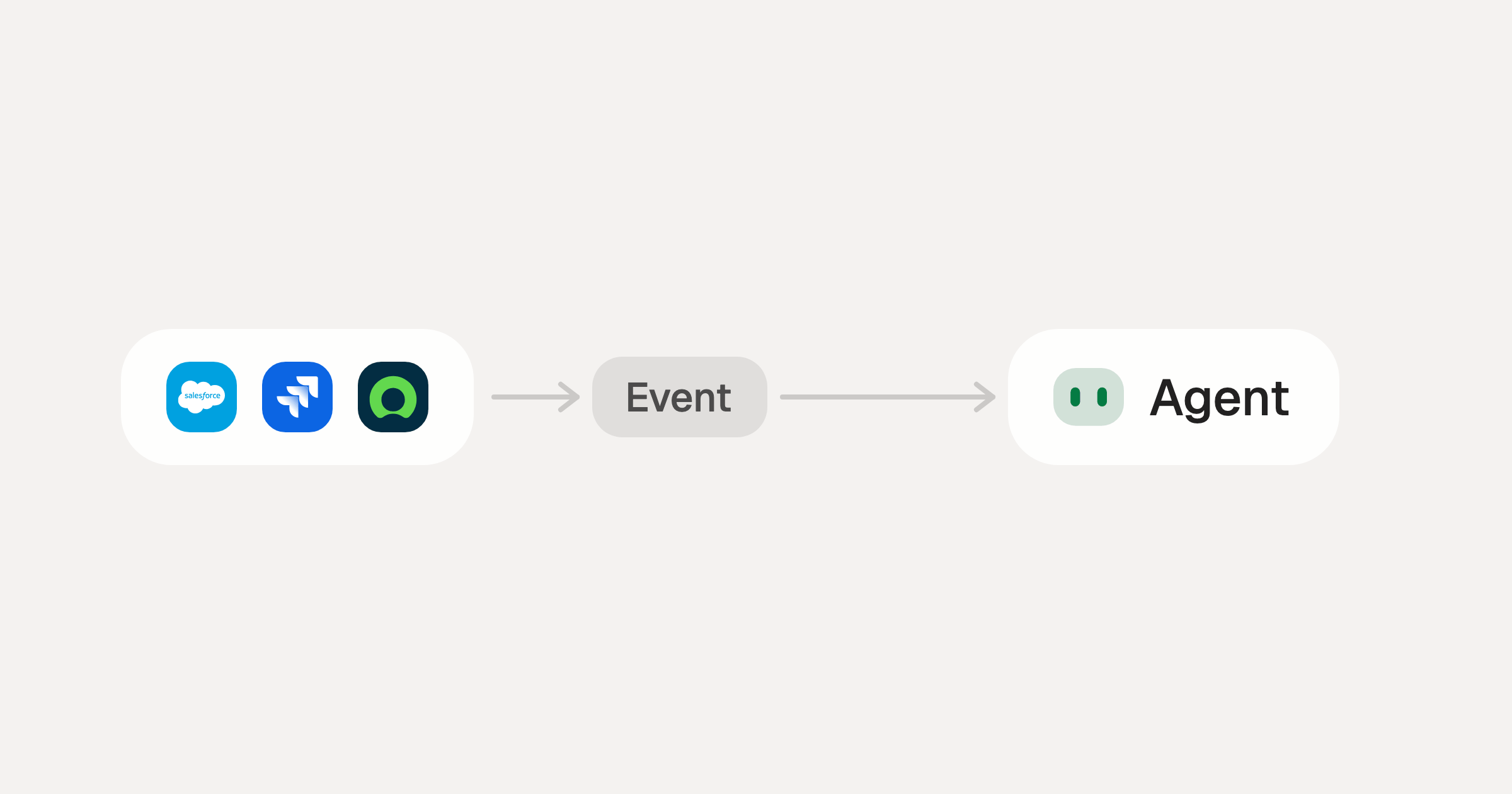
Webhooks for AI agents: why agentic workflows need them purpose-built

AI agents can act the moment a system changes, using webhooks. But webhooks built for software hit three limits in agentic workflows. Here is how to fix each.

7 min read
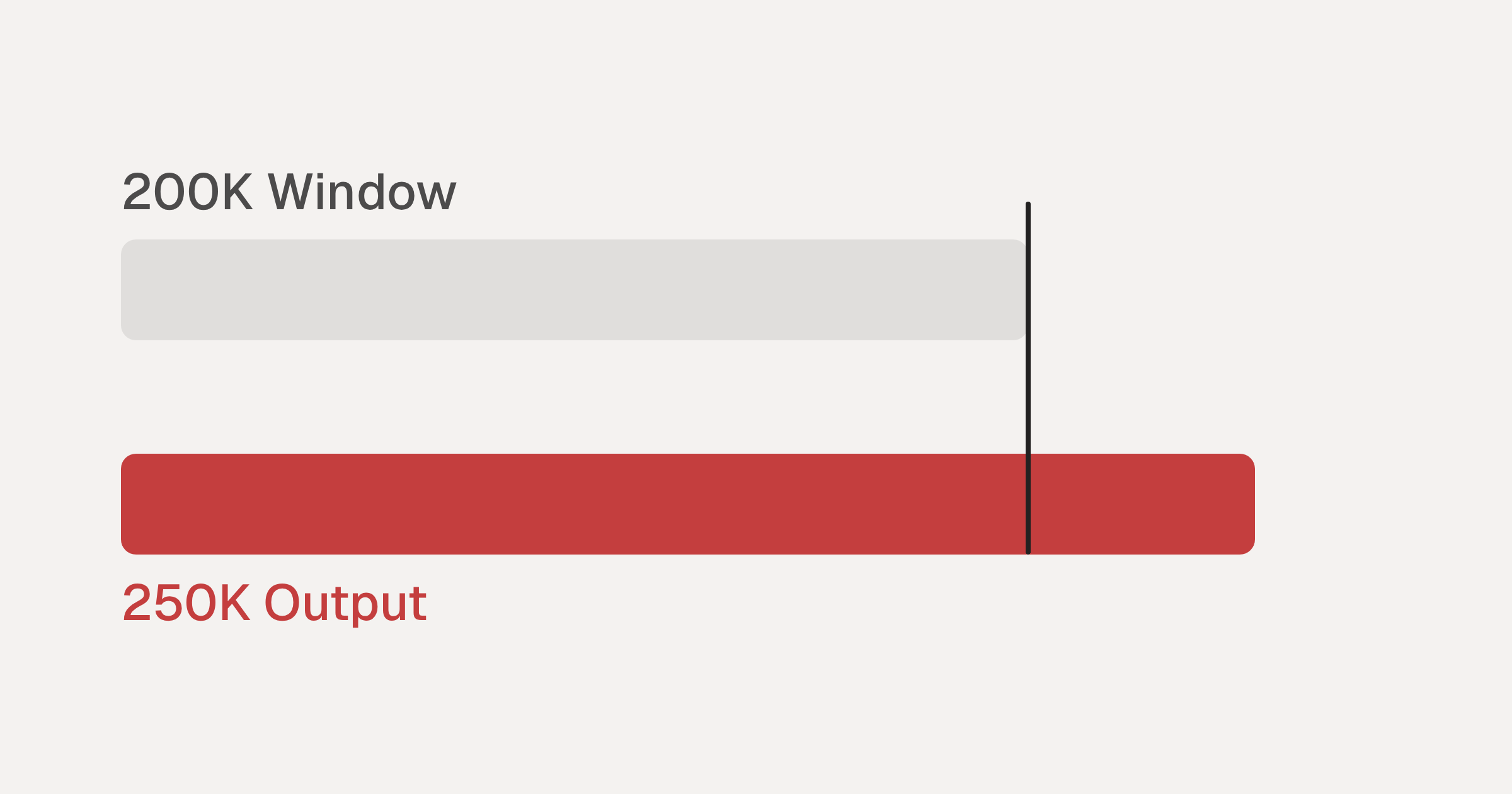
Agentic Context Engineering: Why AI Agents Kill Their Own Context Windows

AI agents exceed their context windows without knowing it. Six failure patterns and seven survival architectures for agentic context engineering.

15 min
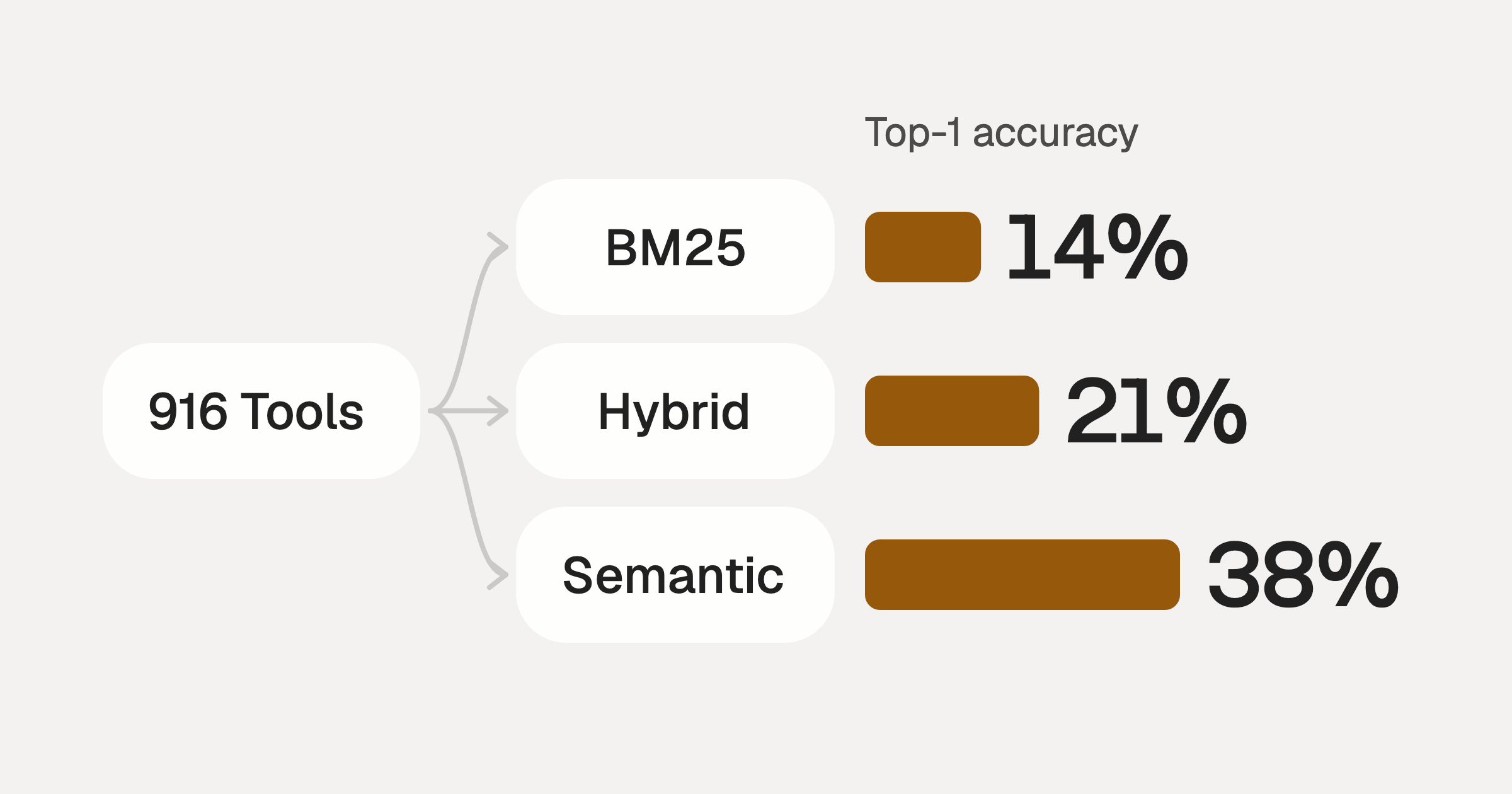
Comparing BM25, TF-IDF, and Hybrid Search for MCP Tool Discovery

Benchmarking BM25, TF-IDF, and hybrid search for MCP tool discovery across 916 tools. The 80/20 TF-IDF/BM25 hybrid hits 21% Top-1 accuracy in under 1ms.

10 min

Put your AI agents to work

Connect AI to every company system and control what it can do in each one, down to the field.