Skip to main content Announcing Tool Policies: AI agent permissions down to the field Read the announcement
Connectors Jenkins
Live 96 Actions 5 Events

Jenkins Integration for AI Agents

Connect your AI agent to 96 Jenkins actions via MCP, A2A, or SDK, with agent authentication, tool-calling execution, and security built-in, plus 5 events to subscribe to.

StackOne
DrataGPLocalyzeFlipMindtoolsScreenloop

Jenkins AI Agent Actions

96 production-ready actions for your agent to do more on Jenkins.

96 Actions
List Builds - List the builds of a job.
Get Build - Fetch full detail of a single build.
Get Build Console Output - Return the full plain-text console log of a build.
Get Build Progressive Text - Fetch console log text from a byte offset for incremental tailing.
Stop Build - Request a graceful abort of a running build.
Delete Build - Permanently delete a build record.
Submit Description - Set the description text of a build.
Toggle Log Keep - Toggle the keep-this-build-forever flag.
Get Build Test Report - Fetch the aggregated test report of a build.
Get Build Stages - Describe a Pipeline run with its stages.
Get Build Environment Variables - Fetch injected environment variables of a build.
Get Pending Input Actions - List input steps currently waiting on a Pipeline run.
Proceed Input - Approve a pending Pipeline input step that has no parameters.
Abort Input - Reject (abort) a pending Pipeline input step.
Create Credentials - Create a credential in a domain from an XML body.
Delete Credential - Permanently remove a stored credential from a Jenkins credentials store and domain.
Get Credential - Get the JSON representation of a single credential (metadata, not secrets).
Get Credential Config - Fetch the XML configuration of a credential.
List Credential Domains - List the credential domains in a credentials store.
List Credentials - List credentials in a domain of a credentials store.
Update Credential - Replace the XML configuration of an existing credential.
Create Domain - Create a credentials domain in a store from a domain XML document.
Get Domain Config - Read the XML definition of a credentials domain, including its name, description and specifications.
Update Domain Config - Replace the XML definition of a credentials domain with a new document.
Delete Domain - Permanently remove a credentials domain and every credential stored in it.
Get Unified Credentials - Get the current Jenkins connection's unified credentials and identity.
Get Current User - Get the raw identity of the connected Jenkins account.
List Unified Roles - List unified roles in Jenkins.
Get Unified Role - Get a unified Jenkins role by ID.
List Unified Users - List unified users in Jenkins.
Get Unified User - Get a unified Jenkins user by ID.
List Jobs - List top-level jobs and folders.
Get Job - Get one job's details (builds, health, nextBuildNumber).
Get Job Config - Fetch the job config.xml.
Create Job - Create a job from a raw XML config.
Copy Job - Copy an existing job within the same folder.
Update Job Config - Replace a job config.xml.
Delete Job - Permanently delete a job.
Enable Job - Turn a disabled Jenkins job back on so it can be triggered and scheduled again.
Disable Job - Stop a Jenkins job from being built, by triggers or manually, until it is enabled again.
Rename Job - Rename a job within its folder.
Build Job - Trigger a build of a non-parameterized job.
Build Job With Parameters - Trigger a parameterized build.
Wipe Out Workspace - Delete every file in the job workspace on the agents so the next build starts clean.
Set Next Build Number - Set next build number (requires Next Build Number plugin).
List Nodes - List all nodes (agents and built-in) with executor counts.
Get Node - Get a single node's details (executors, labels, offline state).
Get Node Config - Return a node's config.xml.
Create Node - Create a permanent (DumbSlave) agent via doCreateItem.
Update Node Config - Replace a node's config.xml.
Delete Node - Permanently delete a node.
Toggle Offline - Toggle a node offline/online.
Launch Agent - Relaunch a disconnected agent (Computer.doLaunchSlaveAgent).
Change Offline Cause - Update the reason shown on a node that is already temporarily offline.
List Plugins - List installed plugins with version, enabled, hasUpdate, dependencies, url, active, bundled.
Install Necessary Plugins - Install plugins named in a posted XML document.
Uninstall Plugin - Uninstall an installed plugin by short name.
Get Update Center - Get Update Center state: sites, available and pending updates, and install jobs.
List Queue Items - List all items waiting in the Jenkins build queue.
Get Queue Item - Fetch one queue item by its queue id.
Cancel Queue Item - Remove a pending item from the build queue by id.
Get All Roles - List all roles of one role type with their assigned users/groups.
Get Role - Get one role permissions, pattern, assigned SIDs and template.
Get Role Assignments - List every SID (user/group) with the roles assigned to it for a role type.
Add Role - Create (or overwrite) a role of a given type.
Remove Roles - Delete one or more roles of a type.
Assign User Role - Grant a Role Strategy role to a Jenkins user by adding their user id to it.
Assign Group Role - Assign a group to a role.
Unassign User Role - Remove a user from a role.
Unassign Group Role - Remove a group from a role.
Get Matching Jobs - Preview which items a project role pattern matches.
Get Matching Agents - Preview which agents a slave role pattern matches.
Delete Role Strategy User - Remove a user from every role of one role type.
Delete Role Strategy Group - Remove a group from every role of one role type.
Get Template - Get one project permission template with its permission ids.
Add Template - Create a project permission template.
Remove Templates - Remove project permission templates.
Cancel Quiet Down - Cancel quiet-down mode so Jenkins starts builds again.
Get Load Statistics - Get executor and queue load time series for the whole controller.
Get Server Info - Get top-level Jenkins controller info.
Quiet Down - Put Jenkins into quiet-down mode so no new builds start.
Restart - Restart Jenkins immediately without waiting for builds.
Safe Restart - Queue a safe restart: running builds finish first, no new builds start.
Validate Jenkinsfile - Lint a Declarative Jenkinsfile.
List People - List people (users) known to Jenkins via the asynchPeople view.
Get User - Get one Jenkins user by id.
Create Account By Admin - Create a Jenkins user account as an admin (HudsonPrivateSecurityRealm only).
Delete User - Delete a Jenkins user record.
List Views - List all views on the controller.
Get View - Get a view with its jobs.
Get View Config - Read the config.xml definition of a view, including its job filters and columns.
Create View - Create a view from config XML.
Update View Config - Replace the config.xml definition of a view with a new XML document.
Delete View - Permanently remove a view. The jobs it lists are not affected.
Add Job To View - Add a job to a list view.
Remove Job From View - Remove a job from a list view.

Jenkins Webhook Events

5 real-time Jenkins events your AI agent can subscribe to.

5 Events
  • Webhook Verification Acknowledges a manual Jenkins Notification plugin call sent with phase NONE.
  • Build Queued Processes Jenkins build QUEUED notifications from the Notification plugin.
  • Build Started Processes Jenkins build STARTED notifications from the Notification plugin.
  • Build Completed Processes Jenkins build COMPLETED notifications from the Notification plugin.
  • Build Finalized Processes Jenkins build FINALIZED notifications from the Notification plugin.

Do More, Build Less

Connect AI to Jenkins and control what it can do, down to the field

Multiple Interfaces

Access integrations via API, AI SDKs, MCP & A2A.

Jenkins MCP server
Managed Authentication

Pre-built authentication UI.

Agent auth
Falcon Engine

Every Jenkins action runs on Falcon.

Agent Execution Engine
StackOne Defender
StackOne Defender Meta PG v1 Meta PG v2 DeBERTa 88.7% 67.5% 63.1% 56.9% Detection accuracy

88.7% prompt injection detection.

Prompt injection defense

"What impressed us most about StackOne is its ambition and clarity. They're creating infrastructure that modern software and the entire AI agent ecosystem can rely on. The depth of secure integrations, the pace of delivery, and the team's foresight into AI's future uniquely position StackOne to redefine this category."

Luna Schmid, Partner at GV

"We've been impressed by how quickly and deeply StackOne integrates with complex enterprise systems -- and now, with their focus on agent-to-agent interoperability, they're unlocking even more powerful use cases for customers. StackOne delivers all of the above in a universal layer -- without compromise."

Barbry McGann, SVP at Workday Ventures

G2 - High Performer G2 - Easiest To Do Business With G2 - Users Love Us G2 - Users Most Likely To Recommend G2 - Easiest Admin

Product Teams Love Building Agent Integrations With StackOne

G2

More Developer Tools Integrations Like Jenkins

Vercel

371+ actions

Linear

222+ actions

Azure DevOps

185+ actions

ElevenLabs

182+ actions

Cursor

164+ actions

GitLab

156+ actions

Postman

153+ actions

Jenkins AI agent integration resources
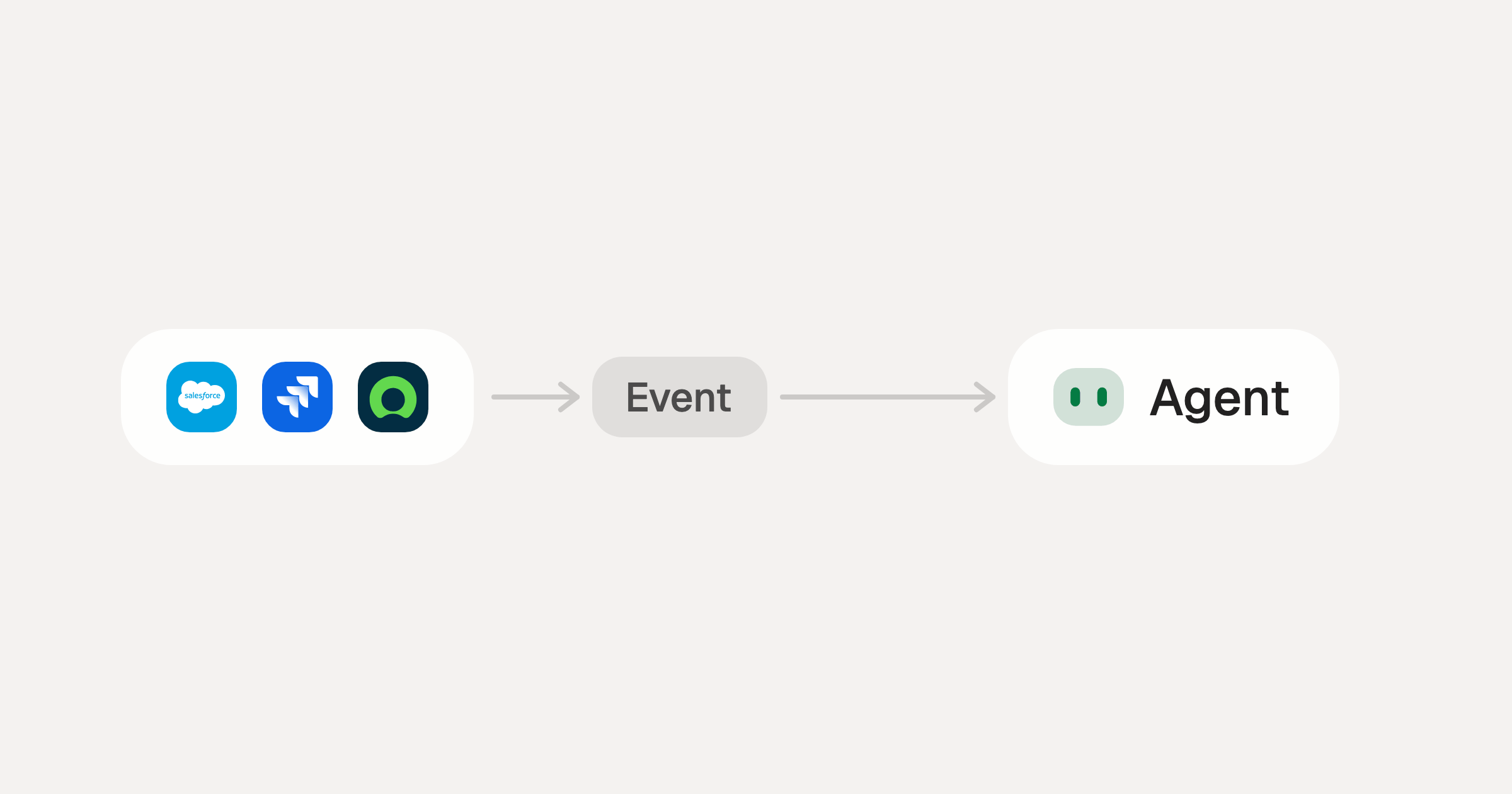
Webhooks for AI agents: why agentic workflows need them purpose-built

AI agents can act the moment a system changes, using webhooks. But webhooks built for software hit three limits in agentic workflows. Here is how to fix each.

7 min read
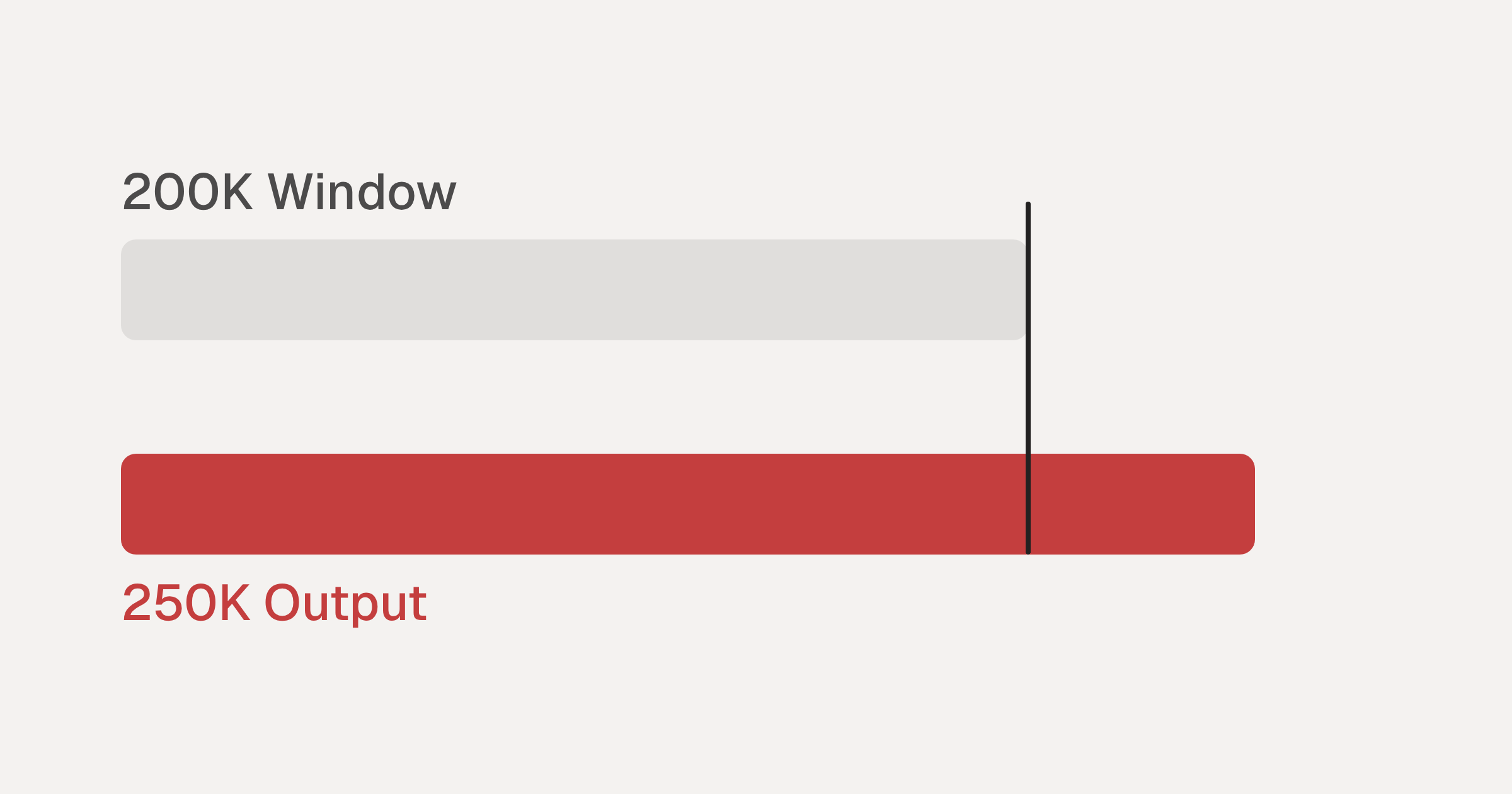
Agentic Context Engineering: Why AI Agents Kill Their Own Context Windows

AI agents exceed their context windows without knowing it. Six failure patterns and seven survival architectures for agentic context engineering.

15 min
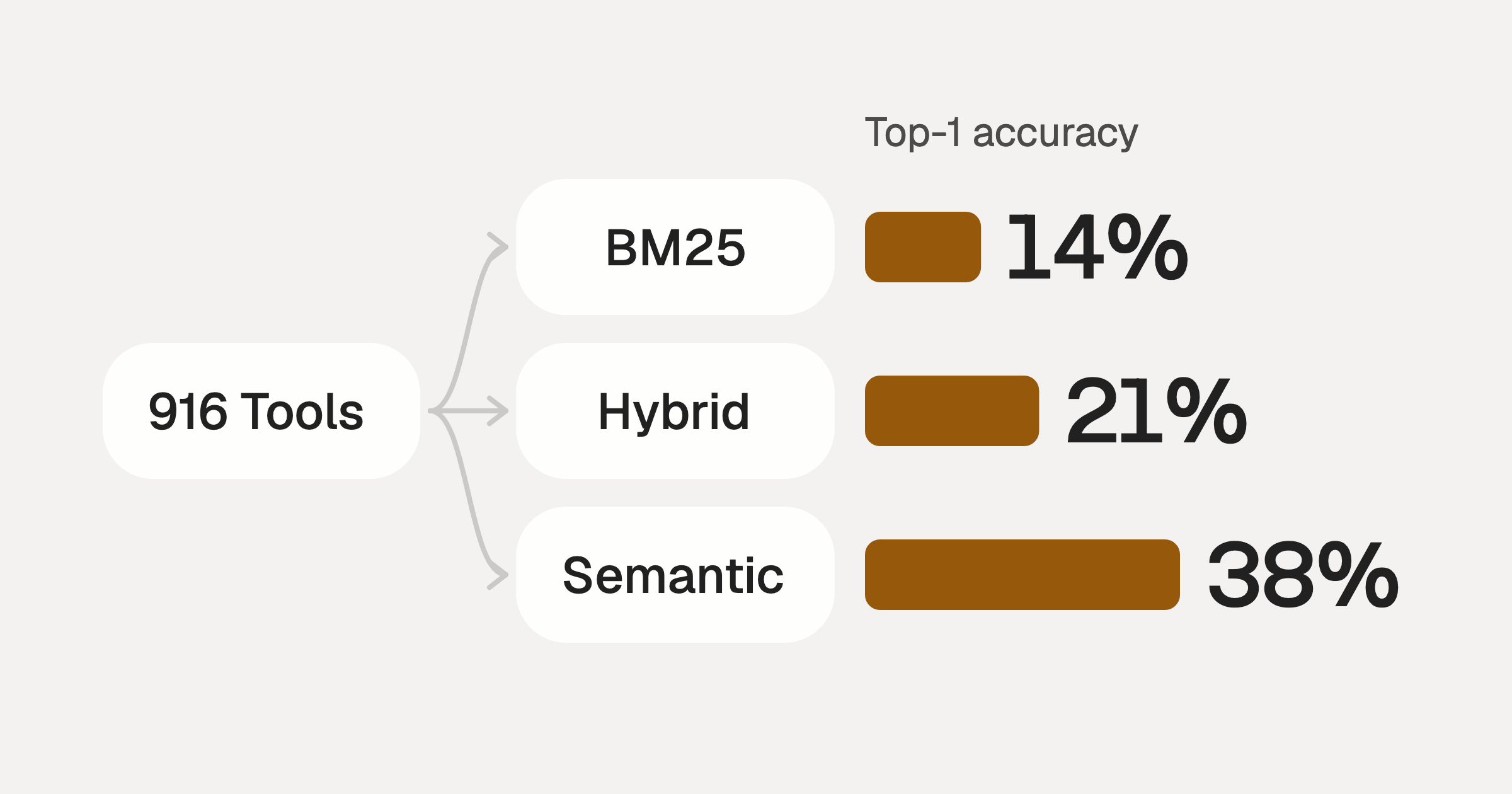
Comparing BM25, TF-IDF, and Hybrid Search for MCP Tool Discovery

Benchmarking BM25, TF-IDF, and hybrid search for MCP tool discovery across 916 tools. The 80/20 TF-IDF/BM25 hybrid hits 21% Top-1 accuracy in under 1ms.

10 min

Put your AI agents to work

Connect AI to every company system and control what it can do in each one, down to the field.