


October 2026
MCP Connectors
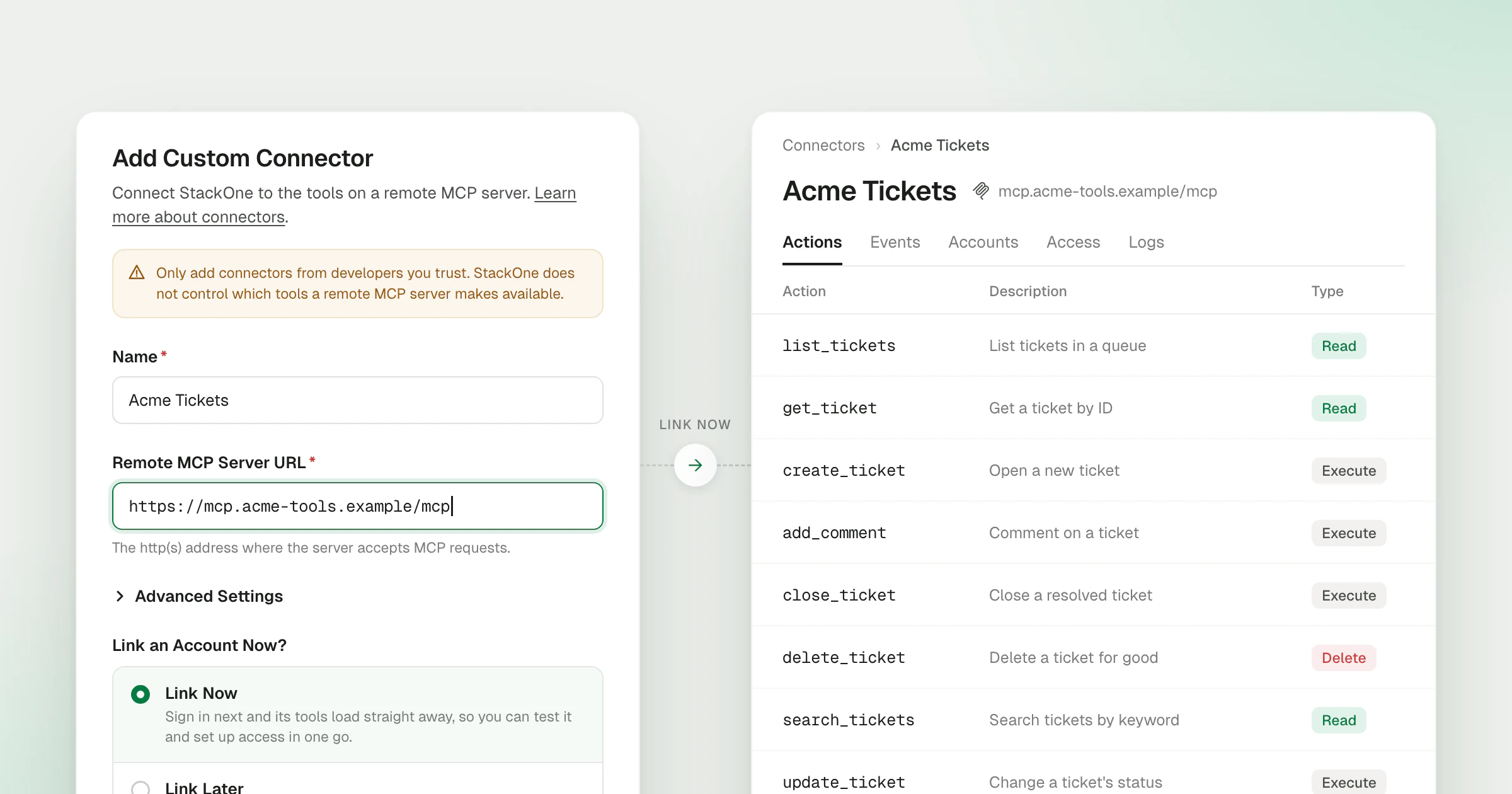
MCP connectors bring any remote MCP server under the same controls as StackOne’s own connectors. Paste the server’s URL into Add MCP Connector on the Connectors page and sign in, and each of the server’s tools becomes an action. From there it’s governed like every other connector: its connector profile decides who can use it, Tool Policies decide what agents can call, Defender checks what comes back, and every call is in your logs.
What’s new
- Add a server by URL - The Add Custom Connector dialog takes a name and the server URL, and StackOne builds the connector from the tools the server lists.
- Sign in without a client ID - When the server supports dynamic client registration, StackOne registers itself and runs the OAuth sign-in, so nobody has to create an app in the provider first. Servers that need a pre-registered client take a client ID and optional secret under Advanced Settings.
- One action per tool - Each tool becomes an action named after the tool. Its read, execute or delete effect comes from the tool’s MCP annotations, so agents get the same risk signal as on any other action.
- Access through connector profiles - The connector gets a connector profile like any other, so you choose which users and groups can link accounts to the server and share those accounts with the rest of the project.
- Tool Policies on every tool - Policies apply to MCP connector actions the same way they apply to StackOne’s own, so you can block a server’s delete tools or limit a tool to the groups that need it.
- Defender and logs - Defender checks tool results for prompt injection before they reach the agent, and each call shows in Logs next to calls to every other connector.
- Admins approve new servers - Project Admins and Org Admins can add a connector and use it straight away. When a Project Member adds one, its connector profile and account stay disabled until an admin enables them.
- Refresh Actions - When the server adds or changes tools, Refresh Actions on the connector pulls them in, and a change to the tools publishes a new connector version.
The Adding MCP connectors guide walks through adding a server and choosing its sign-in method.